Posts

Set up a webcam with Linux

Image
Hi friends,  I migrated my article to  https://medium.com/@thorsten_28158/set-up-a-webcam-under-linux-1aba3ec7bb51 A capture from a webcam in the program Cheese

AppEngine hello world

Image
During my certification I learned that you can save a lot of time by using AppEngine. Instead of setting up a web server, installing nginx and python, and wondering why they don't work together, you use AppEngine and can start programming right away. Today I wanted to check this out and deployed a "hello world" app on AppEngine. I will show you how I did it - with everything you can possible do wrong and how to correct it. Later I will show you how to put this application behind a load balancer. Go to Google Cloud Console, open Cloud Shell, check out the hello world code: git clone https://github.com/GoogleCloudPlatform/python-docs-samples Cloning the "hello world" AppEngine app from github Now deploy the application: cd python-docs-samples/appengine/ gcloud app deploy OK, now I got the first error message: So I went to Google Cloud Console -> IAM and looked for the AppEngine default Service Account. Once I had it, I gave it the requested permissions: I again...

Permission denied (publickey).

Image
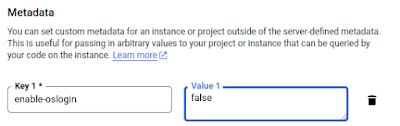
Whenever I tried to ssh from one of my Google Cloud VMs to another, I got an error message. SSH asks me if I want to continue connecting, and when I say "yes", I get: Permission denied (publickey). If I just type enter (fingerprint), I get Host key verification failed. Solution for both issues: # ssh -o "StrictHostKeyChecking no" thorsten@linuxintro.org A question that remains open with me is why I did not have to do it earlier. Earlier, the host keys were automatically added to the known_hosts file. Now I get the next error: # ssh thorsten@linuxintro.org thorsten@linuxintro.org: Permission denied (publickey). To resolve this error, I need a private/public ssh key pair on my laptop. If you don't have a public key, create it using the command ssh-keygen Type ENTER for every question from ssh-keygen. Then you will find your public key file in your home directory under .ssh/id_rsa.pub. Find out how it looks, here is mine: # cat .ssh/id_rsa.pub  ssh-rsa AAAAB3NzaC1y...

When bookmarks are not enough...

Image
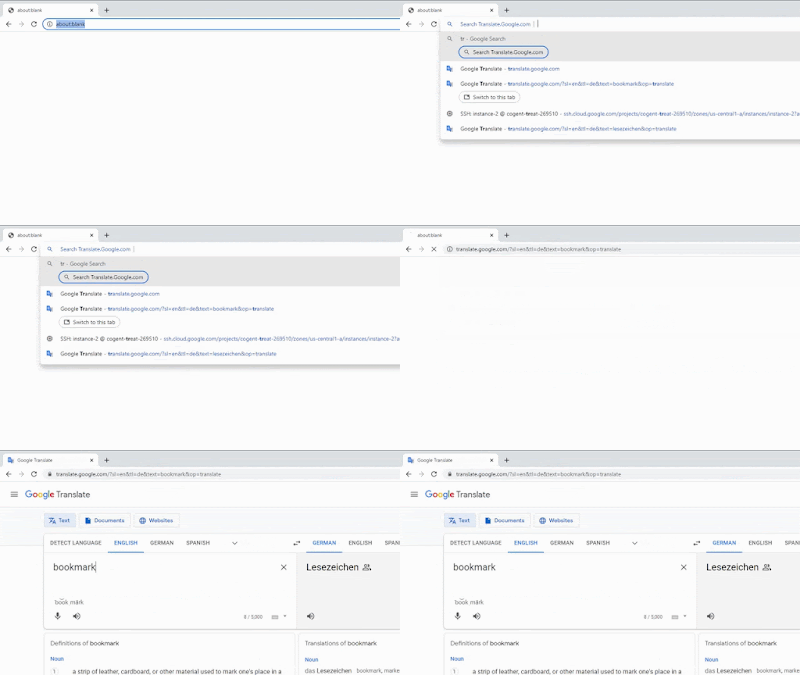
When bookmarks are not enough...  I just want to type tr whatever into Chrome's search bar and get a translation of whatever : The quickest way to get a translation,  in this case of "bookmark". Read below how to set it up. I knew this was possible and searched for it using the terms quicksearch , shortcuts and extended bookmarks . But the real feature name is site search . Let's see how we set it up: in Chrome's settings menu, select search engine -> manage search engines and site search: scroll to "site search", click "add": enter a keyword and URL to be composed from the string you give after the keyword: You see that you configure a keyword here (in this example tr) and tell the browser to move to an URL on this keyword. This URL can contain the string you enter after they keyword. You just write %s and the URL will contain the string at this place. OK, cool thing, especially because it is so versatile. I recall in the KDE project we ha...

How do databases work?

Image
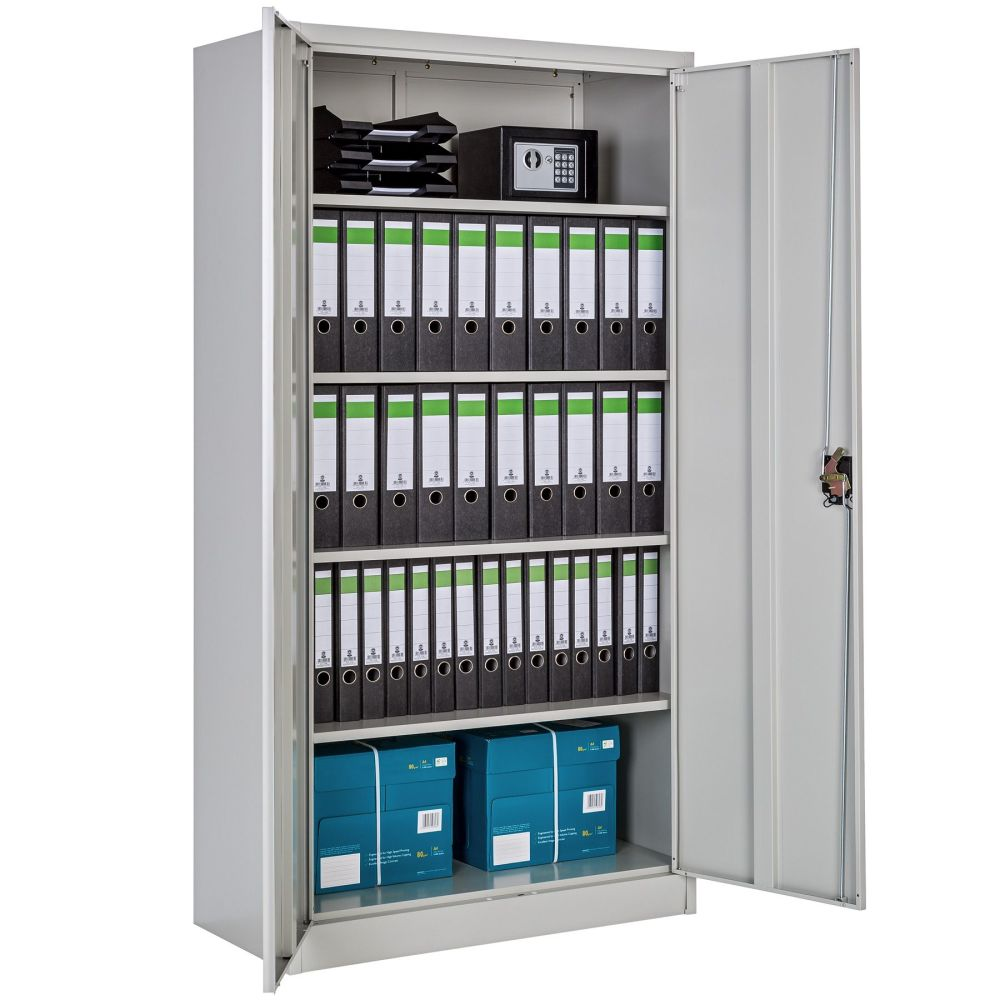
When you study databases, you wonder why some people always seem to get it right, while the majority just doesn't seem to get it right. I will tell you in the next 10 minutes how to get it right - or you get your money back. So, the secret is storytelling. When I think of a database, I think of my friend John who works in front of a big file cabinet like this here: John's job is to keep his boss happy. His boss comes in every now and then and wants to have some information from the file cabinet, like "how many blue cars have we sold in 2021". Sometimes, the boss also tells John some information that he is supposed to write into the files. This takes a lot of time because every folder has an index that needs to be updated (one index is for "car salesmen", the other for "car types" and many more). Plus, there are " aggregates " (how many cars are still in stock) that need to be updated whenever a car sale goes into the folders. And much mor...

Network Engineer Certification

Image
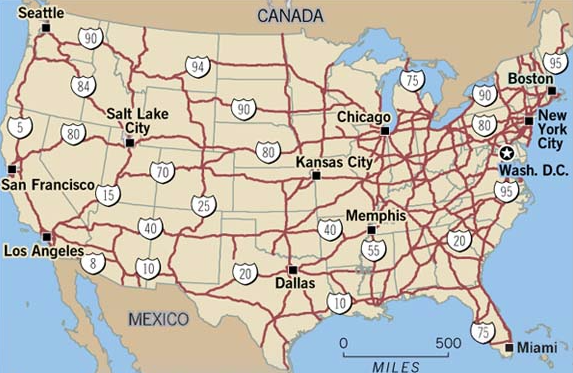
I prepare for being certified as Network Engineer. This means you have to digest a lot of complicated topics... or you make it fun by using analogies. I bet I will teach you BGP , Interconnects and VPN in the next 10 minutes so that you won't forget it or you get your money back. Let's start like this: Imagine the internet is the highway network connecting towns (datacenters). Then, the cars are network packets driving over it. If highways are the internet, network packets are cars The cars deliver pizza. There are routes where you can drive fast and there are slow routes. Some have four lanes, others are just narrow alleys. That's latency and bandwidth aka throughput . Now I tell you, if I want a pizza, I want it in 10 minutes. Having 5 pizzas after 50 minutes just isn't the same experience although throughput would be the same.  Next time you wait for a pizza - think of this blog and agree: nothing beats latency ;) Do you know Lombard street? That's the curviest...

MobaXTerm

Image
I often have to install software on Linux using a graphical installer. Pure PuTTY will not work with this, as it does not allow for graphical output. The solution is MobaXTerm: xeyes running in MobaXTerm on Windows I really love this tool (I am not affiliated and do not receive any benefits for this statement). I can do my work that I could not do before like: using a Linux editor like kwrite to edit text files on Linux use a browser to install ERP software which I need to do sometimes in my job use a graphical installer to install ERP software create a bastion host without the need to pay operating system licenses :) But how do you install it so that it works with your VM? Let's take a Google Cloud VM: generate a public/private key pair by calling puttygen and clicking on "Generate" and moving the mouse a bit: copy the blue part to the clipboard using CTRL_C save the private key as private.ppk, the public one as key.pub. go to Google Cloud Console, search for Metadata, c...