Posts

Showing posts with the label CLI

Host key verification failed
Image
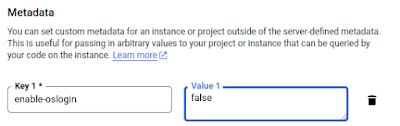
Today I got the error "host key verification failed" when trying to connect from my Linux desktop to my Google Cloud VM "linuxintro.org": # ssh thorsten@linuxintro.org The authenticity of host 'linuxintro.org (34.122.183.250)' can't be established. ED25519 key fingerprint is SHA256:7F9VxKJOEhY/ulnvywkGuQRZUB6S5xd2hG2oWbCSd2E. This key is not known by any other names Are you sure you want to continue connecting (yes/no/[fingerprint])?  Host key verification failed. The reason was that I had never logged in before, so the system did not know the key of my target VM. Solution was to call: # ssh -o "StrictHostKeyChecking no" thorsten@linuxintro.org A question that remains open with me is why I did not have to do it earlier. Earlier, the host keys were automatically added to the known_hosts file. Now I get the next error: # ssh thorsten@linuxintro.org thorsten@linuxintro.org: Permission denied (publickey). To resolve this error, I need a private/pub...

Add PowerShell to a folder's context menu

Image
On Windows, I want the ability to call PowerShell by right-clicking onto a folder. Not a problem, open PowerShell for the last time from the start menu. Reminder: It's under "W" like "Windows PowersHell". Call the command regedit: Select HKEY_CLASSES_ROOT -> Folder -> shell -> PowerShell -> command. Put in cmd /K cd %L && powershell Now start Windows Explorer and right-click on any folder there. You will see "PowerShell" in the context menu: If you click on it, you will be in the respective folder in PowerShell: What did we do here? We added a key to the Windows Registry. This is the central key-value store for all Windows programs, mostly storing configuration data. In this case Windows Explorer will consume the config data for displaying context menus on a folder. The key is "Default" and it will be executed. The value is cmd /K (run a command) cd %L (change to the directory handed over in the variable L) && (...